Customize the look & feel of login portlet in Liferay

Introduction
When you want to modify JSPs from OSGI module deployed in Liferay bundle, you need to create fragment module which provides you way to modify existing JSPs from OSGI modules deployed in Liferay bundle.
Let’s say you have requirement of modifying login.jsp in order to achieve your custom look and feel for login portlet. Follow below steps to create fragment module (hook) to override login.jsp of login portlet.
Prerequisites
- Java
- Liferay portal 7/7.x
Environment Requirement
Customize the look & feel of login portlet
1) Create new Liferay Fragment Module Project
Using Blade CLI,
1blade create -t fragment -h [HOST_BUNDLE_SYMBOLIC_NAME] -H [HOST_SYMBOLIC_VERSION] [PROJECT_NAME]Using Maven,
1mvn archetype:generate \
2    -DarchetypeGroupId=com.liferay \
3    -DarchetypeArtifactId=com.liferay.project.templates.fragment \
4    -DartifactId=[projectName] \
5    -Dpackage=[packageName] \
6    -DclassName=[className] \
7    -DliferayVersion=7.0
Using eclipse IDE,
Go to liferay workspace project → modules → new
Select other → Liferay → Liferay Fragment Module Project and Click
Enter project name
Select “Liferay runtime name” as select “Liferay 7.x” and Click on “Next”
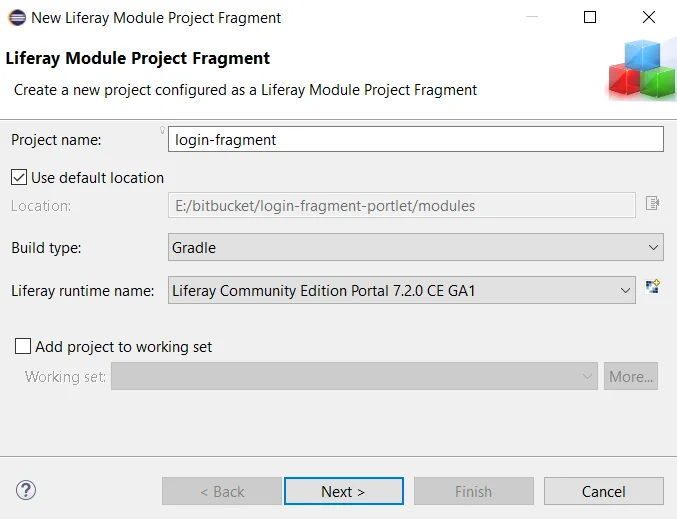
Select “Liferay Portal Bundle Directory ” and click on “finish”
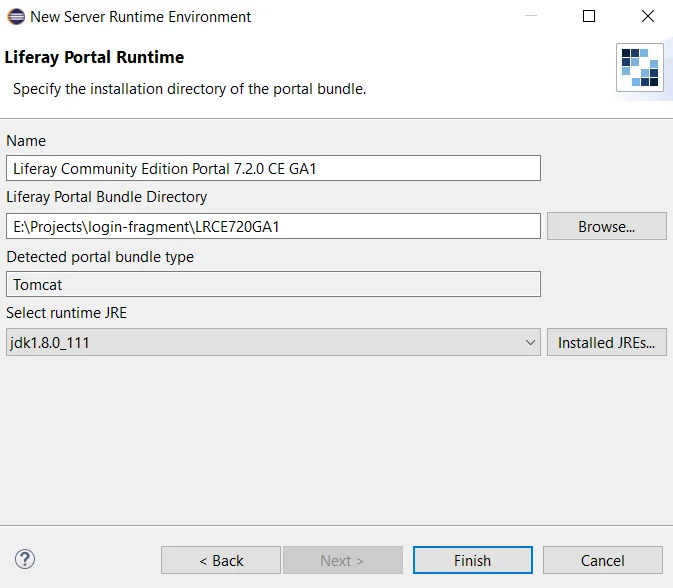
Click on “next”
Select “Host OSGi Bundle” we have selected “com.liferay.login.web-4.0.8.jar”
Select “login.jsp” and click on “Finish”
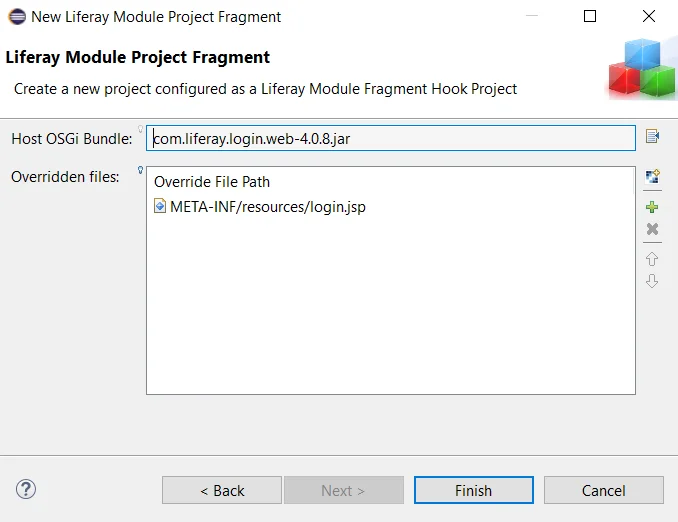
The necessary file structure as below
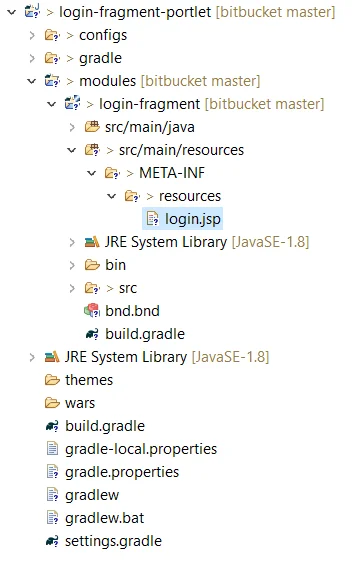
2) Now open login.jsp, add your changes and save it
3) Now build and deploy “login-fragment” on your Liferay server
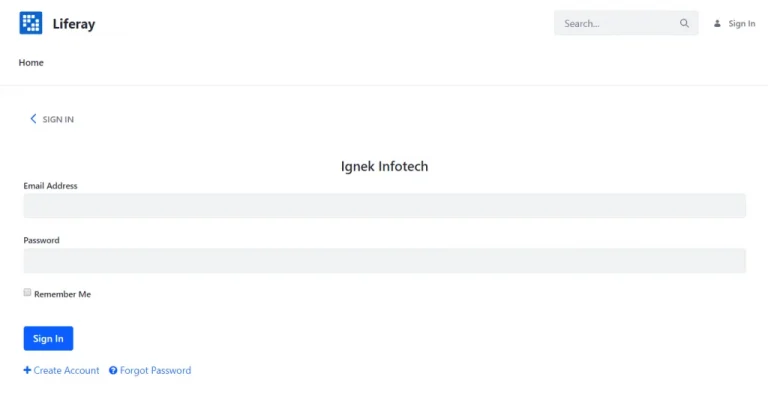
1Note: If changes are not getting reflected in front-end, we need to clear cache of Liferay bundle.
2You can restart Liferay bundle or you can clear servlet cache from Liferay control panel.


